Altera Digital Health (formerly Allscripts) EHR Integration

Connect a TouchWorks EHR environment with Qvera Interface Engine (QIE) to support healthcare data exchange.

Use QIE to build and operate the connections that support the systems and workflows that matter to your organization.

How are Allscripts, Altera Digital Health, and TouchWorks EHR related?

In 2022, Harris acquired the Allscripts Hospitals and Large Physician Practices business, which became Altera Digital Health. TouchWorks EHR is a current Altera Digital Health product. Allscripts remains a common search term and appears in historical materials. This page concerns the TouchWorks lineage. It does not suggest support for every Altera Digital Health or Veradigm product.

Which TouchWorks integration paths are available?

The path depends on the systems, data flows, and interface access available in your environment. Start by defining what needs to move and the connection path each system makes available.

Map the workflow

Identify the source and target systems, the data to exchange, and the workflow that depends on it.

Confirm the available interface path

Review the interface methods and technical details available in the environment before setting the implementation scope.

Define operating responsibility

Decide which team owns mapping, testing, monitoring, and exception handling, then design the interface around that operating model.

Which data flows can QIE support?

Integration patterns can include the following. The final scope depends on the systems, data model, workflow, and interface access in your environment.

  • Patient and encounter updates. Exchange identity and encounter information with the systems that need it.
  • Orders and results. Move clinical requests and results between connected systems and workflows.
  • Documents and clinical data. Route the information needed by connected clinical and operational processes.
  • Scheduling and operational updates. Connect the updates that downstream workflows rely on.

Build, monitor, and maintain TouchWorks interfaces

Build and transform

Use QIE to create, test, map, and transform the interfaces that fit your organization’s needs.

Monitor and investigate

Monitor interface activity and queues, investigate errors, and give operations teams a single place to understand integration status.

Choose the service approach

Qvera provides software, training, fixed-scope integration work, dedicated engineers, and fully managed integration services. Explore Integration Services for the approach that fits your team.

Continue evaluating QIE: Security and compliance and licensing and pricing.

What can we learn from Revere Health?

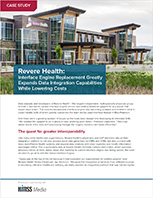
After learning that support for its existing interface engine was ending, Revere Health adopted QIE to expand its Allscripts TouchWorks integration capabilities. The 2018 case study describes how the team brought more interface work in-house, reducing its reliance on outside consultants, and gained a graphical view of individual interfaces as its integration workload grew. It also reports broader data exchange with external health systems, state registries, and the regional HIE. Today, Revere Health uses QIE to manage more than 160 live interfaces that collectively process over 700,000 messages each day.

Ready to discuss your TouchWorks integration?

Tell us which systems, data flows, and interface access you are evaluating. We can help you consider the available connections and the QIE deployment and service approach that fits.

© Copyright 2026 - Qvera - All rights reserved  |  Privacy Policy